
Download BitDefender USB Immunizer – Free, Secure USB Protection Tool for Windows
Keep your USB drives safe from malicious self-executing viruses with BitDefender USB Immunizer — a lightweight, free security tool designed specifically for Windows users. This powerful yet compact software protects your flash drives from malware that spreads through autorun.inf files, a common tactic used by USB-based threats. Since its launch in 2011, BitDefender USB Immunizer has gained popularity across Indonesia, the Philippines, and India, with over 67,000 downloads and consistent weekly usage. With a minimal file size of just 1.2 MB, it runs efficiently on older systems like Windows XP and earlier versions without slowing down performance. The tool is completely free, easy to install, and ideal for users who frequently transfer files between computers. Whether you're a student, professional, or casual user, this software offers reliable protection against one of the most persistent USB-based threats. Download BitDefender USB Immunizer today and ensure your portable drives remain virus-free and secure.
What Is BitDefender USB Immunizer and Why You Need It
USB drives are essential tools for data transfer, but they also pose a significant security risk. Malicious software often spreads through autorun.inf files that automatically execute when a USB is plugged into a computer. These self-executing viruses can silently infect your system, steal sensitive data, or corrupt files — all without your knowledge. This is where BitDefender USB Immunizer comes in. Designed as a free, lightweight solution, this tool actively protects your USB drives by modifying or disabling the autorun.inf file, effectively neutralizing one of the most common infection vectors.
Unlike many antivirus programs that require high system resources and frequent updates, BitDefender USB Immunizer is built for simplicity and efficiency. It doesn’t run in the background or consume memory — it’s a one-time setup tool that ensures your USB remains protected every time it’s used. The software is especially useful for users working on older Windows systems like Windows XP, where modern antivirus solutions may not be compatible or practical. Its minimal footprint (just 1.2 MB) makes it ideal for storage on a USB drive itself, allowing you to carry the protection with you.
Moreover, the tool is language-friendly, available in English, and widely used in regions like Southeast Asia, where USB-based malware is still prevalent. It’s not a full antivirus suite, but rather a specialized defense mechanism that fills a critical gap in USB security. By preventing automatic execution of malicious code, it gives you peace of mind when sharing files across public or untrusted computers. If you frequently use USB drives, especially in shared or public environments, BitDefender USB Immunizer is a must-have addition to your digital toolkit.
Key Features and How to Use BitDefender USB Immunizer
BitDefender USB Immunizer offers a streamlined set of features tailored to USB security. While it may not have the bells and whistles of a full antivirus program, its focused functionality makes it highly effective. The primary feature is autorun.inf protection — the tool scans your USB drive and disables or modifies the autorun.inf file, preventing malware from executing automatically when the drive is connected. This simple yet powerful action stops a wide range of USB-based threats, including worms and trojans that rely on auto-execution.
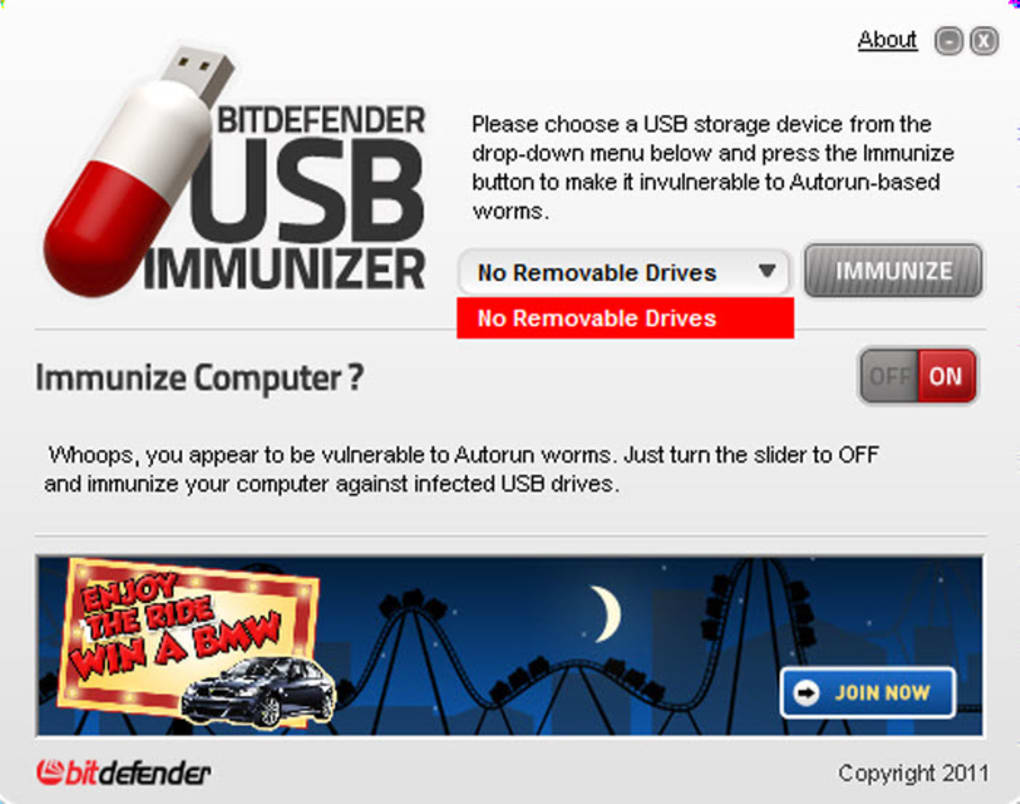
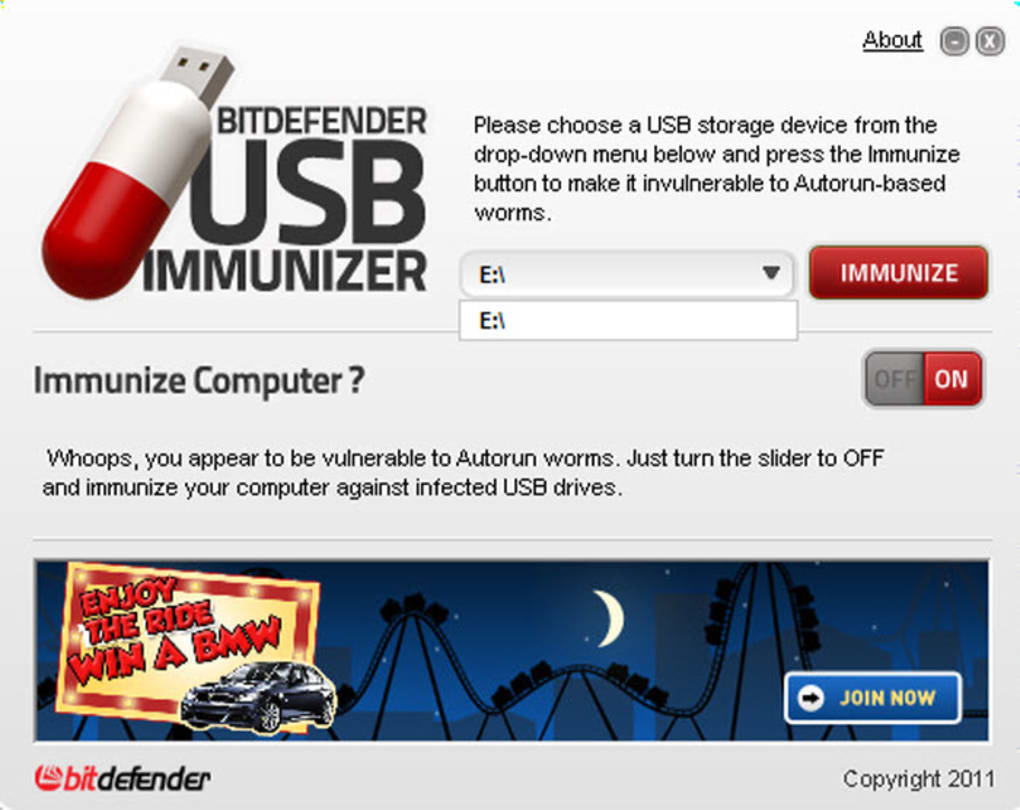
Another notable feature is its portability and ease of use. The software doesn’t require installation — you can simply run the executable file directly from your USB drive. This makes it perfect for users who need to protect multiple devices or use it on different computers without leaving traces. The interface is minimal, with just a few buttons: “Scan,” “Protect,” and “Remove Protection.” After scanning your drive, the “Protect” option applies the immunization, and the tool provides a confirmation message to let you know the drive is now secure.
Usage is straightforward: download the tool from BitDefender’s official website, extract the file, and run it. Plug in your USB drive, launch the program, select the drive, and click “Protect.” The process takes just seconds. Once immunized, the drive will no longer allow autorun attacks. You can also use the “Remove Protection” option if you need to restore the original autorun functionality for a specific device. This flexibility ensures the tool doesn’t interfere with legitimate use cases while maintaining strong security.
Installation & Usage Instructions
To get started with BitDefender USB Immunizer, follow these simple steps:
- Visit the official BitDefender website and download the latest version of the tool (note: the last update was in 2012, but the software remains functional).
- Save the file to your computer and extract it (the file is a .exe, so no installation is required).
- Connect your USB drive to the computer.
- Run the BitDefender USB Immunizer executable.
- From the main window, select your USB drive from the list of available drives.
- Click the “Scan” button to detect any existing autorun.inf files.
- If a threat is found, click “Protect” to disable or modify the autorun file.
- Wait a few seconds for the process to complete — the tool will confirm when the drive is immunized.
- Now you can safely use your USB drive on any Windows computer without fear of auto-executing malware.
For maximum security, it’s recommended to immunize your USB drive before transferring sensitive files or using it on public computers. The tool can also be stored directly on the USB drive, allowing you to protect other devices on the go.
Compatibility and System Requirements
BitDefender USB Immunizer is designed for older Windows systems, making it a valuable tool for users still relying on legacy operating systems. It supports Windows XP and earlier versions, including Windows 2000 and Windows Me. This compatibility is crucial for organizations or individuals using outdated hardware where newer antivirus software may not run properly or at all.
Despite its age, the software remains functional and effective on modern Windows systems (Windows 7, 8, 10, and 11) — though it’s not officially supported. Users have reported success running it on newer OS versions, especially in compatibility mode. However, for the best experience, it’s recommended to use it on Windows XP or similar systems.
The tool requires minimal system resources: just 1.2 MB of disk space and no RAM overhead during operation. It doesn’t need internet access to function, making it ideal for offline environments. The software is available in English and is completely free to download and use. While it doesn’t offer real-time scanning or cloud-based threat detection, its specialized purpose ensures it remains a reliable choice for USB-specific protection.
Pros and Cons
Pros:
- Free and lightweight — Only 1.2 MB, perfect for older systems.
- Simple and effective — Focuses on one key threat: autorun.inf malware.
- Portable — Can be run directly from a USB drive.
- Compatible with Windows XP and older — Ideal for legacy systems.
- Easy to use — No technical knowledge required.
Cons:
- Outdated — Last updated in 2012, no longer actively maintained.
- Not for modern Windows systems — May not work reliably on Windows 11.
- No real-time protection — Only protects during manual use.
- No automatic updates — Cannot detect new threats without manual intervention.
- Single-function tool — Doesn’t replace a full antivirus suite.
Frequently Asked Questions (FAQ)
Final Verdict: Is BitDefender USB Immunizer Worth It?
Despite being over a decade old, BitDefender USB Immunizer remains a valuable tool for users who need a simple, free solution to protect USB drives from autorun-based threats. Its lightweight design, ease of use, and compatibility with older Windows systems make it a standout option for those working in resource-limited environments or using legacy hardware. While it lacks modern features like real-time scanning and automatic updates, its focused purpose ensures it still delivers reliable protection.
If you frequently transfer files between computers — especially in public or shared spaces — this tool is a smart addition to your digital security routine. For users on Windows XP or similar systems, it’s one of the few available options for USB protection. However, if you’re on a modern OS like Windows 11, consider pairing it with a full antivirus suite for comprehensive defense.
Download BitDefender USB Immunizer today and take control of your USB security. It’s free, fast, and effective — a must-have for anyone who values safe data transfer.







